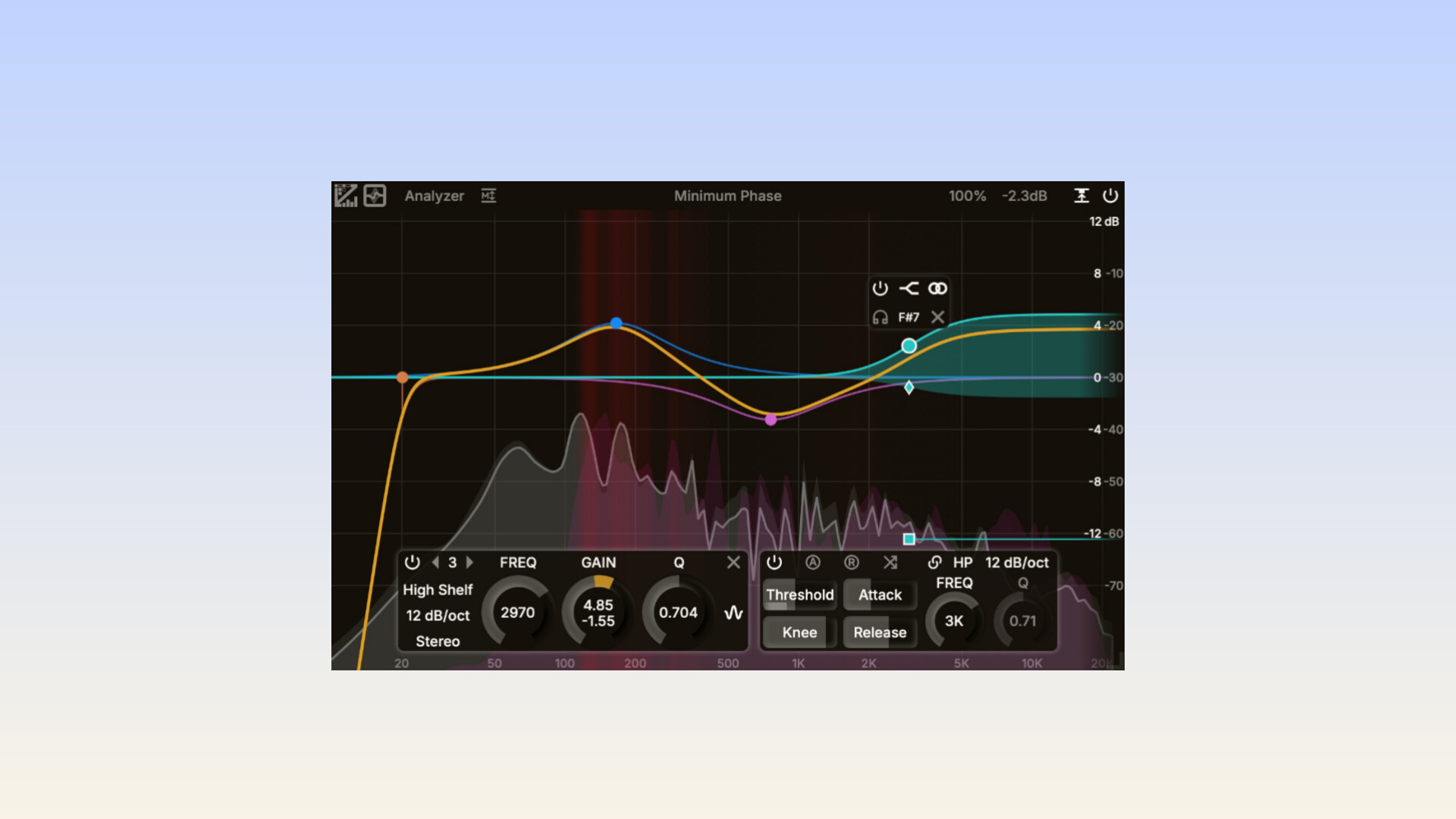
If you’re hunting for a free equalizer that bridges surgical correction and creative shaping, ZL Equalizer 2 is worth a serious look. It’s the successor to ZL Audio’s original EQ and brings a surprisingly rich feature set for a no cost plugin including advanced matching tools, flexible side chain filtering, UI scaling and floating windows along with improved host compatibility. Here’s a clear practical breakdown so you know what it does, when to use it, and how to avoid the small gotchas.
This is the headline feature. You can sample a target spectrum and fit your source to it, which is extremely useful when you want to match tonal balance between tracks or quickly approximate a reference. The tool includes drawing controls and matching helpers that make the process visual and easy to control.
Side chain routing in this plugin is more advanced than a simple on and off toggle. You can shape what the detector hears by choosing your filter type and slope. This is great for de essing, ducking harsh resonances or doing other dynamic corrective tasks that require precise frequency control.
ZL Equalizer 2 includes UI scaling for high DPI screens, floating and detachable windows, FFT analyzer improvements and a helpful right click context menu. These additions streamline the workflow and make the plugin feel more modern and comfortable to use across different setups.
The plugin supports the latest formats and includes updates that make parameter mapping and automation more efficient in most DAWs.
ZL Equalizer 2 handles both corrective EQ and creative tonal shaping with confidence. It can make tight surgical cuts with sharp Q values or smooth broad adjustments depending on what your track needs. Updates have also focused on DSP enhancements and improved phase mode behavior to keep CPU usage efficient even with the analyzer active.
The plugin is available through the official releases page. A few things to keep in mind before installing:
Choose the correct installer for your operating system and device type such as x86 64 or ARM64.
After installation open an empty DAW session first and load the plugin to confirm everything works properly before using it in a real project.
If EQ Match is important to your workflow always use the latest stable version since earlier releases temporarily changed or removed features that were later restored.
Matching tonal character between two recordings using EQ Match
Surgical corrective EQ to tame resonances or unwanted frequencies
Creative tone shaping with the help of the built in FFT analyzer
Side chain driven EQ moves such as dynamic de essing or instrument ducking
Use the floating analyzer on a second screen for a clean visual reference while mixing.
When using EQ Match always listen to the result and fine tune the curve manually for the best outcome.
UI scaling is useful on high resolution laptops to make controls easier to see.
Check the release notes occasionally for bug fixes and improvements.
This Plugin kinda reminds me of the Fab filter pro Q 4 what do you think?
Another Free EQ Plugin you should try is Reflexive EQ by Reflex Acoustics